
How it works
From “we should meet” to a plan everyone can follow.
Create the invitation, share it, and give each guest one clear place to respond.
1. Start with the essentials
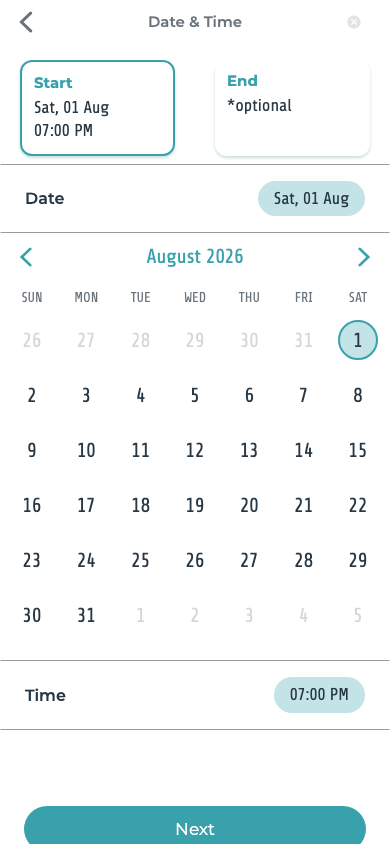
Name the occasion, add the date and, if useful, a location, then include only the details guests need to act.
2. Add guests and share
Choose invitees or share an invitation link through the channel that works for your group.
3. Let the group decide when needed
If the date or place is not settled, offer a short list of choices and collect votes before confirming.
4. Follow replies in one place
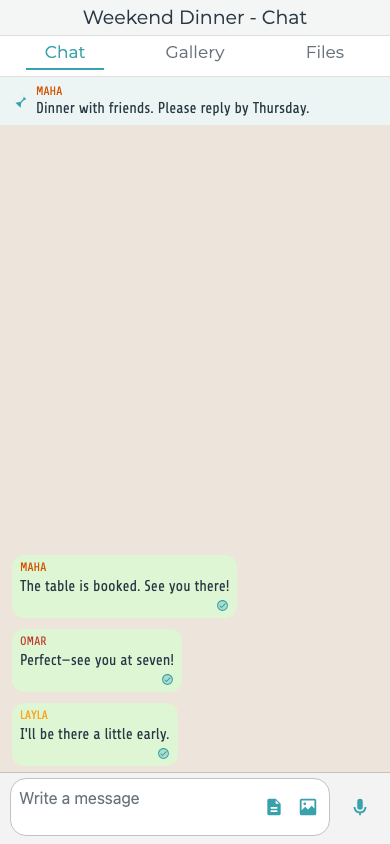
See who is attending, who declined, and who is still deciding without searching through several chats.
And the guest? Open the link and respond.
Invited guests can review the invitation in a supported browser. Sending a browser response requires phone verification; an app download is not always required.
Inside Hub App
From the first time choice to the latest update
Clear screens help hosts and guests stay on the same plan without the message chase.
Do guests have to download the app?
Not always. An invited guest can review an invitation in a supported browser. Responding in the browser requires phone verification.
What can I add to an invitation?
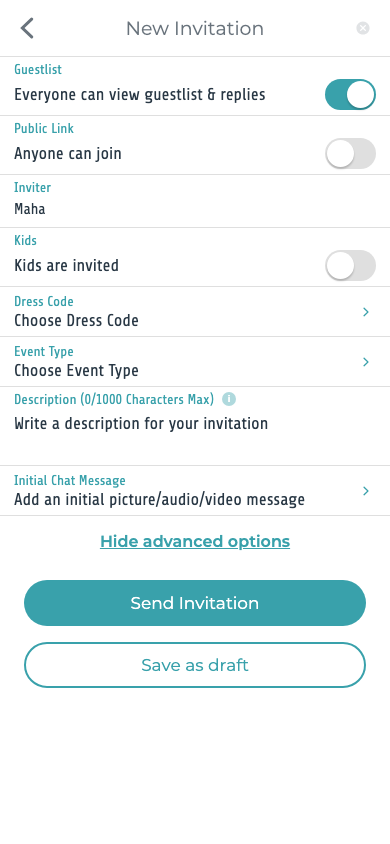
You can add the event name, date, time, location, description, guests, and the options available for that invitation in the app.
How does a guest RSVP?
The guest opens the invitation, checks the details, and chooses whether they are attending, declining, or still unsure.
Can I change an invitation after sending it?
Hosts can edit invitation details in the app. When the time or place changes, make the update clear so guests know to review it.
Can guests see who else is invited?
The host controls whether the guest list and responses are visible to invitees.
How does voting on a date work?
The host adds realistic date or time options. Guests select what works for them, giving the group a clearer basis for deciding.
Can the group vote on a location too?
Yes. Hosts can add location choices and collect guest votes in the same planning flow.
Still need help? Email support@hubapp.net
Start here
Ready to make the plan happen?
Put the invitation, replies, and updates in one place.